The World of Cars Online

CAPTURE THE ACTION!
Take a screenshot of you and your friends doing something awesome in World of Cars, and submit it here. If it's really cool, you could get featured on the Screenshots Page or the Crews News Blog!
How To Take a Screenshot - PC Instructions
-
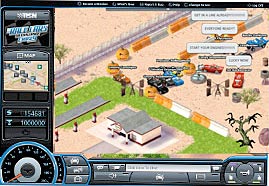
1Have your World of Cars game screen open.
-
2Press Alt + Print Screen on your keyboard. This puts a copy of your screen into your computer's memory.

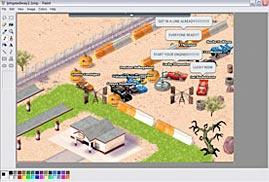
- 3Open up a computer program like Paint.
-
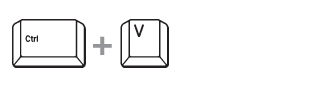
4Paste your picture by pressing Ctrl + V or choosing Edit > Paste from the dropdown menu.
-
5Save your picture as a GIF, JPG, PNG, or BMP
- 6Come back to this page, and fill out the form. Be sure to choose the file that you just saved as your "Screenshot File".
- 7Click the Submit button. KA-CHOW!
How To Take a Screenshot - Mac Instructions
-
1Have your World of Cars game screen open.
-
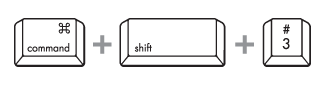
2Press Command + Shift + 3. This saves a copy of your screen to your computer's desktop.
- 3Come back to this page, and fill out the form. Be sure to choose the file that was saved on your desktop as your "Screenshot File".
- 4Click the Submit button. KA-CHOW!
 Visit the Official Cars Site